


It is no surprise that with the rise of AI, the barrier of entry for development has lowered, allowing many people to get started with projects which before would have taken days, months, or even years to complete. Enter vibe coding: explaining what you want to build in plain language and letting an AI model build it out for you. But with endless opportunities, it can be difficult to know what exactly to build. We have all had that moment before, where we stare at a blank page not knowing how to get started. That's no different than staring at a new AI chat window or an empty Visual Studio Code window and not knowing what to build first. This is why with this post we hope to share 15 vibe coding project ideas for beginners that will help spark the motivation to build something amazing. This post is sorted from easiest to hardest, allowing you to build your way up to more complex projects. Each project will include what tools you need and a rough estimate of how long the project will take. If you need help setting up, please read this post on how to get started with vibe coding.
Why Project-Based Learning Works for Vibe Coding
One of the best ways that I learned coding before AI was by doing projects and learning what worked and what didn't. Experimenting with the additions of blocks of code, and even down to the smallest changes. Long gone are the times I would spend hours hunting down a missed semicolon. But it was the moments where I was actually building something that made me retain the skills to be the developer I am today. I have been a part of many courses, watched countless videos, and read many blog posts. But there is nothing like getting hands on. Similar to watching a YouTube video on how to whistle, in practice it seems simple, but way different than doing it in person. This is the same with AI and vibe coding: I don't write these guides because I read and watched a lot of AI content, but because I have had first-hand experience working with AI for almost 3 years now, since it was first released to the public in 2023. So I encourage you to not only read this post, but to really try to build out one of these projects.
What You'll Need Before You Start
Before you get started, here is what you'll need:
- VS Code - free download, install if you haven't already
- GitHub Copilot Extension - installed through the Extensions panel in VS Code
- A GitHub Account - required to use Copilot
- 30-60 minutes - that's roughly all the setup takes if this is your first time
One thing you will want to know is the cost of Copilot: Copilot's free tier includes limited agent mode usage, which is good but will restrict how far you can get in some of these projects. You will get a lot more done with a paid plan. The paid plans are worth checking out before you get too deep into a project. With experience, there is nothing worse than having to stop due to rate limits.
If you are looking for a fully hosted app builder that needs zero setup, you have probably seen the ads: Lovable, Bolt, or Replit. Those are great options too and worth their own post. But if you want to learn to build the way working developers actually do it, here's the setup I use and recommend.
Beginner Tier: Your First Vibe Coding Projects
1. Color Palette Generator
- What it is: a page that generates a random color palette shown as swatches with hex codes.
- Why it's a good first project: this is a very quick project which is visually satisfying and shows you how quick it is to create something. This will provide a good boost of motivation to try other projects.
- Time estimate: 30-45 minutes
- Copilot tip: ask for a "click to copy hex code" feature in the initial prompt. This is a small addition that makes it feel like a real tool instead of a demo.
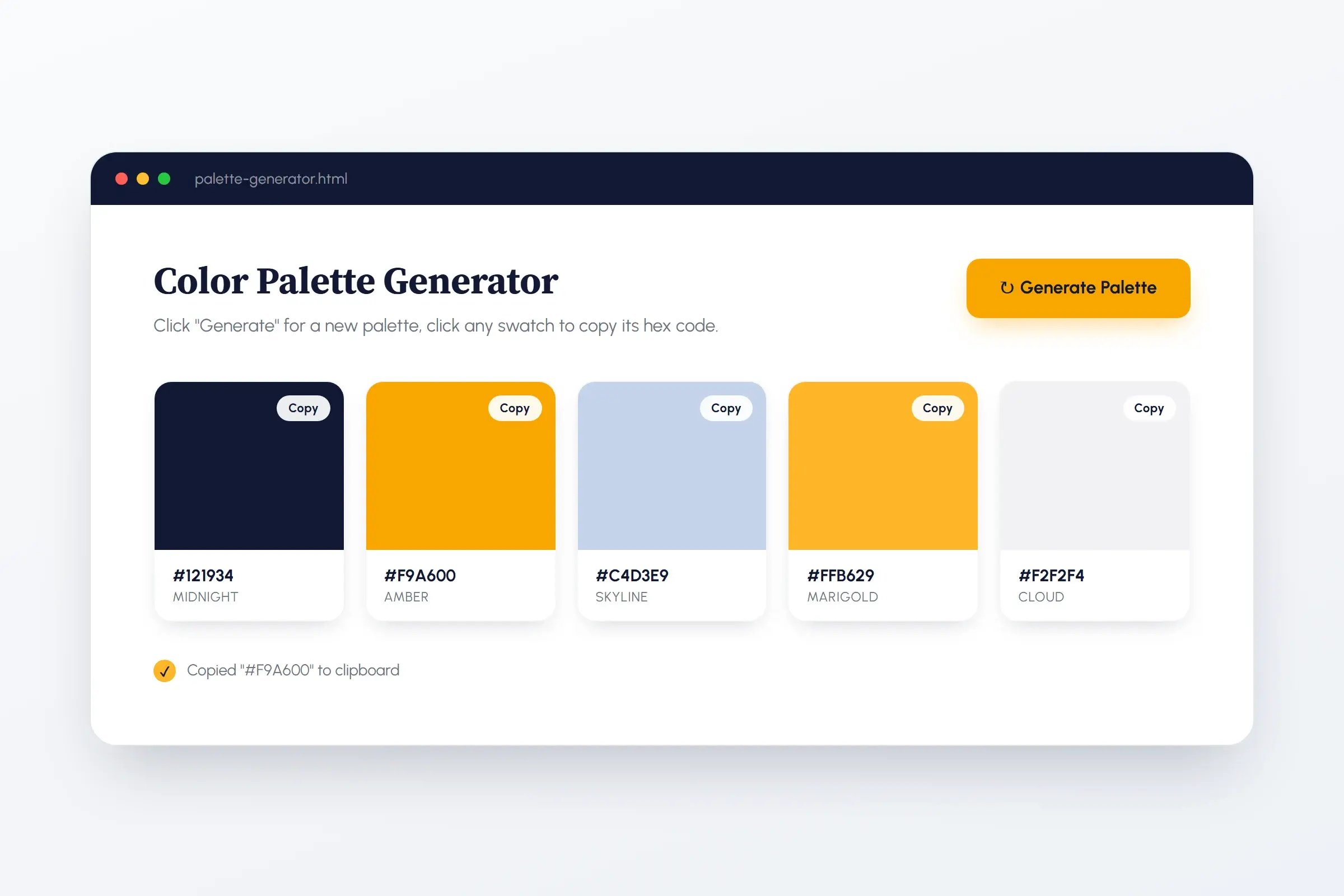 A color palette generator: one of the fastest vibe coding projects to go from blank page to finished tool.
2. Personal Portfolio Site
- What it is: a single-page site with a bio, featured projects, and contact information
- Why it's a good first project: It will teach you how to make a basic page with structure and layout. Unlike other projects, you can keep and use this one and publish it to the internet for others to see. Really good for students.
- Time estimate: 45-90 minutes
- Copilot tip: prompt for the whole structure of the page at once (hero, about section, projects, and contacts) rather than piece by piece. This ensures the model can handle multi-section layouts all in one go, and will ensure the page looks cohesive. Once you have the initial page go section by section and make changes.
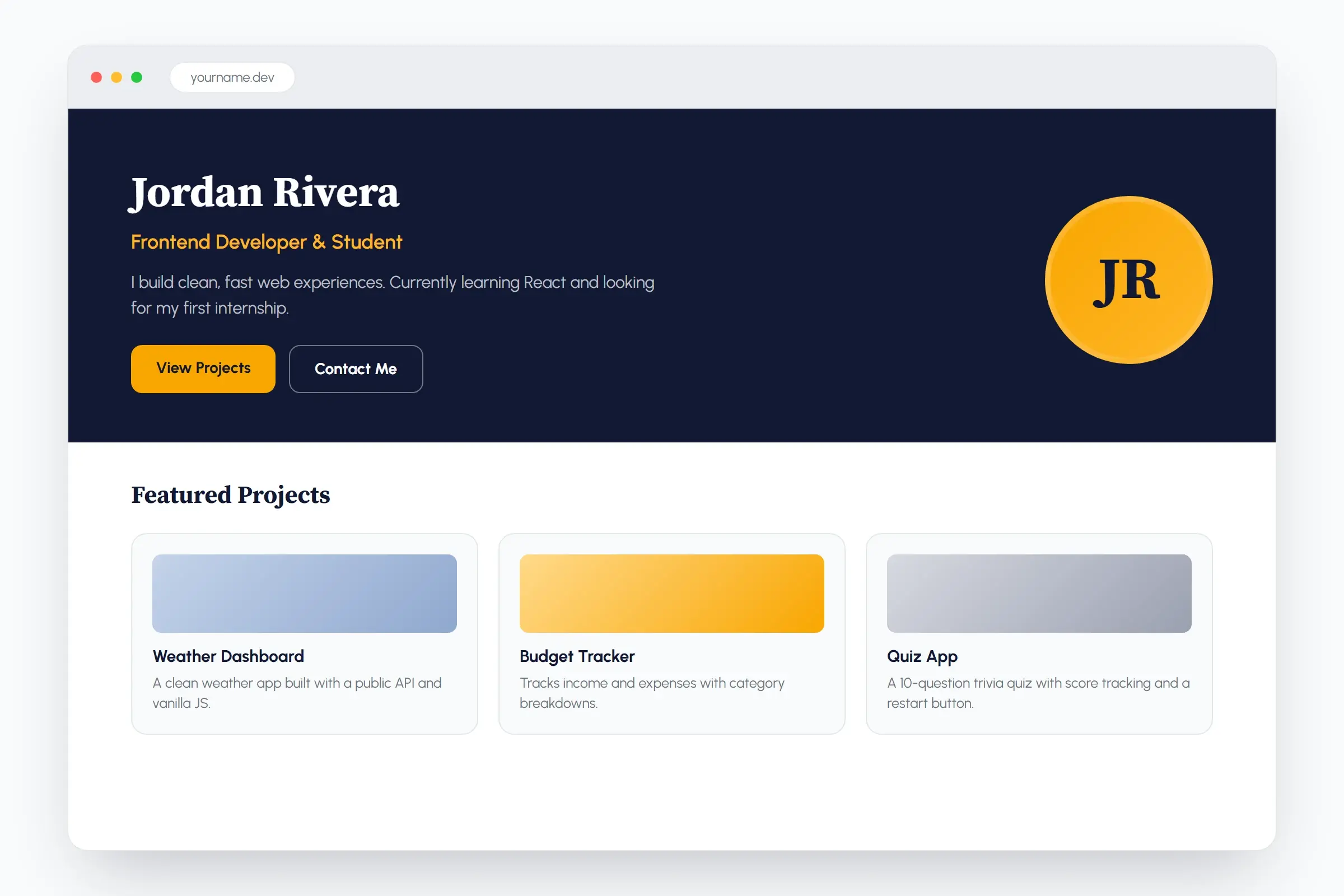 A personal portfolio site: the one beginner project on this list you can actually publish and keep using.
3. Simple Quiz App
- What it is: 5-10 multiple choice questions that gives the user a final score.
- Why it's a good first project: This will introduce you to conditional logic and basic state tracking. This includes tracking which answers were picked and keeping a running score.
- Time estimate: 45-60 minutes
- Copilot tip: Ask for the restart button and score logic in the first prompt, not after the initial prompt to create the quiz. This will ensure the model keeps this in mind when first designing the structure of the app.
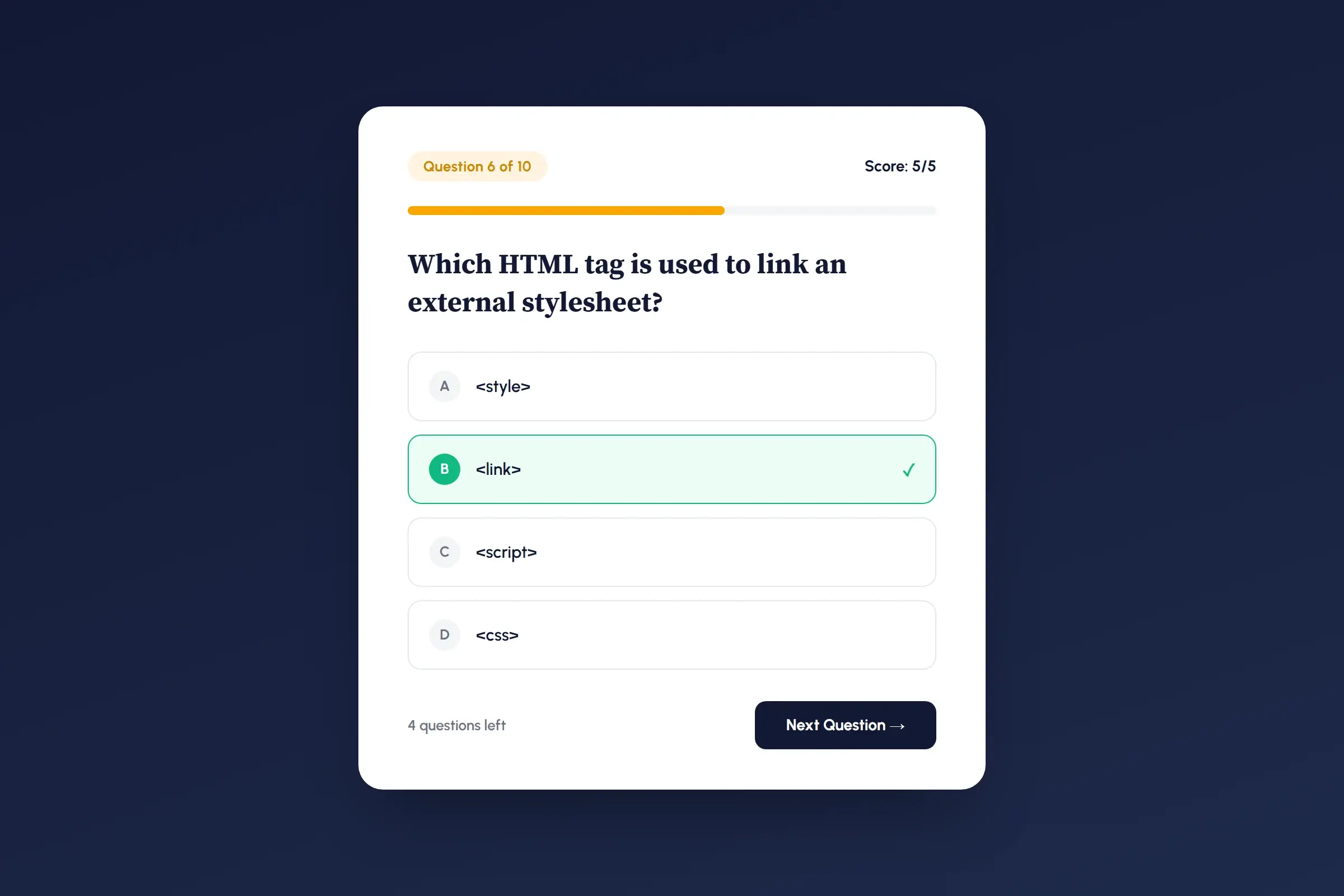 A simple quiz app: a good introduction to conditional logic and basic state tracking.
4. Recipe or Notes App
- What it is: add, view and delete short entries.
- Why it's a good first project: This project will help you understand data handling and how to store it within an app.
- Time estimate: 60-90 minutes
- Copilot tip: Decide from the start whether entries should be erased when the browser is refreshed or if you would like to store the data so the user can keep it stored in their browser (localStorage). You will need to let the model know upfront so it keeps this in mind when initially creating the app. Otherwise the model will guess and you will have to redo a big portion of the project.
5. Weather Display Page
- What it is: enter a city, see the current weather using a free public weather API.
- Why it's a good first project: This gives you exposure to working with an external API. This is a genuinely useful skill that helps you beyond just one project.
- Time estimate: 60-90 minutes
- Copilot tip: Sign up for the API key first (Copilot can't do that step for you), then hand Copilot the key and endpoint docs to write the fetch logic.
Intermediate Tier: Projects With Real Functionality
6. Tic-Tac-Toe or Memory Match Game
- What it is: a classic browser game with a win/lose detection and a reset button
- Why it's a good next step: This project will build on the conditional logic from the quiz app, but adds a win-condition checking and game state. This brings your game development to the next level.
- Time estimate: 60-90 minutes
- Copilot tip: spell out the win conditions explicitly in your first prompt. Think about anything that can break the app (cheating) so make sure you tell the model exactly how you want the game to work. Don't just let the model guess the rules, these kinds of projects work better when the objective and rules are clear from the beginning.
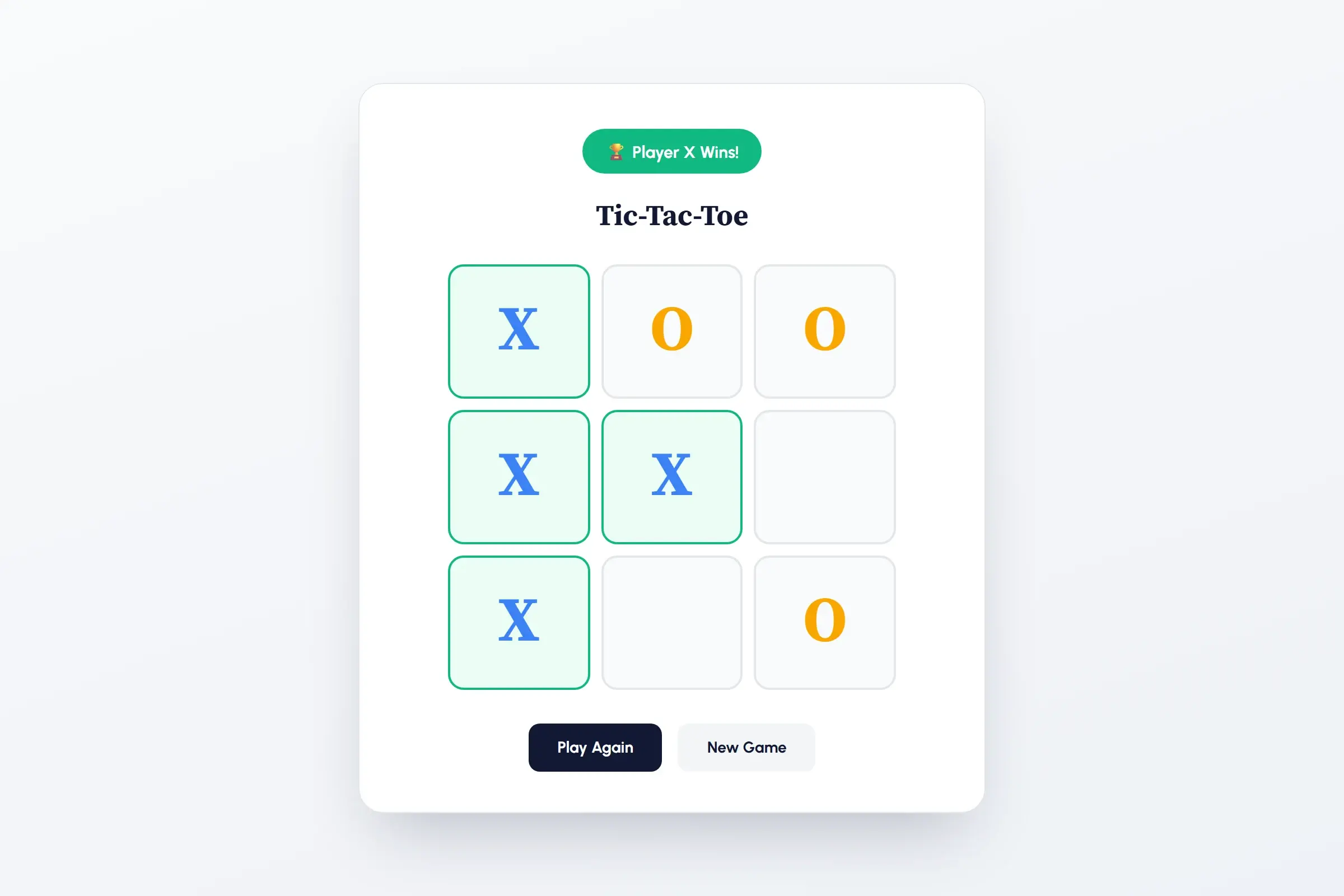 A tic-tac-toe game: the same conditional logic as the quiz app, now applied to win detection and game state.
7. Pomodoro / Focus Timer with Saved Sessions
- What it is: a countdown work/break timer that keeps track of all completed sessions.
- Why it's a good next step: This is a good project as it is something that you can use daily, and it builds on the notes app's data saving concept. The only thing is that this time the data changes over time instead of just sitting there.
- Time estimate: 60-90 minutes
- Copilot tip: Make sure to define your work/break intervals and what counts as a "completed" session upfront. Pausing and resetting mid-session are the edge cases most likely to go wrong if you don't let the model know early on when making the first few prompts.
8. Small Business Landing Page with a Contact Form
- What it is: a polished one-page business site with a working contact form
- Why it's a good next step: A real website that you can use for your business. This is especially good and relevant if you are looking to increase freelance work or get started on client web work.
- Time estimate: 90-120 minutes
- Copilot tip: Decide from the beginning whether the contact form needs to actually send emails (requires a third-party service like Formspree or EmailJS, since a static site can't send email on its own) or just validate and show a "submitted" message. This will change the complexity, so specify what your goal is in your first prompt.
9. Personal Budget Tracker
- What it is: log income and expenses by category, track running totals and build a simple financial breakdown.
- Why it's a good next step: This project pushes you further into data handling than the initial notes app. Now you are calculating, categorizing, and not just storing data.
- Time estimate: 90-120 minutes
- Copilot tip: Define the categories and what the totals/breakdown should look like before prompting. Vague requests like "track my spending" lead to structure you will have to end up redoing.
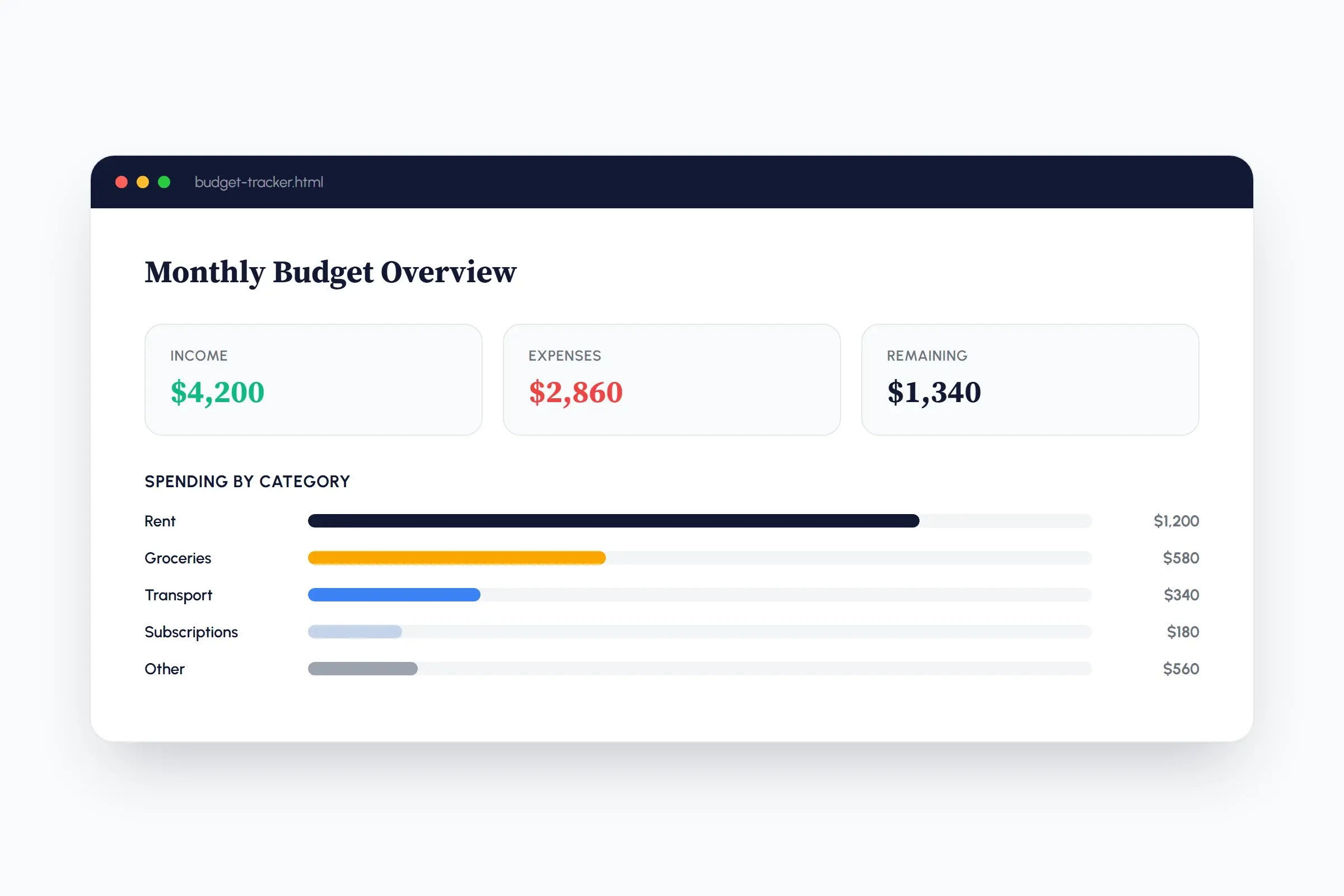 A personal budget tracker: income, expenses, and a category breakdown in one dashboard.
10. Chrome Extension (Basic)
- What it is: a simple chrome extension. Some examples include a new-tab quote display, or a one-click page note taker
- Why it's a good next step: This is the biggest leap in the tier. A completely different environment entirely (manifest.json, browser APIs) which feel like leveling up into real developer territory.
- Time estimate: 90-150 minutes
- Copilot tip: Ask Copilot to explain the manifest.json file line by line before moving on to enhancements of the extension. Extensions have more moving parts than a webpage, and understanding the configuration file early prevents confusion later.
Advanced Tier: Projects That Push Further
11. Booking/Appointment Scheduler
- What it is: A calendar view where a user can pick a date and available time slot, then confirm a booking with you.
- Why it's a good next step: This project pulls together data-handling and calculation skills from earlier tiers into a realistic business tool, with the added challenge of preventing double-bookings
- Time estimate: 90-120 minutes
- Copilot tip: define what happens when someone tries to book a time that has already been scheduled by someone else. Schedule conflicts are the part most likely to be missed if the model isn't told about it upfront.
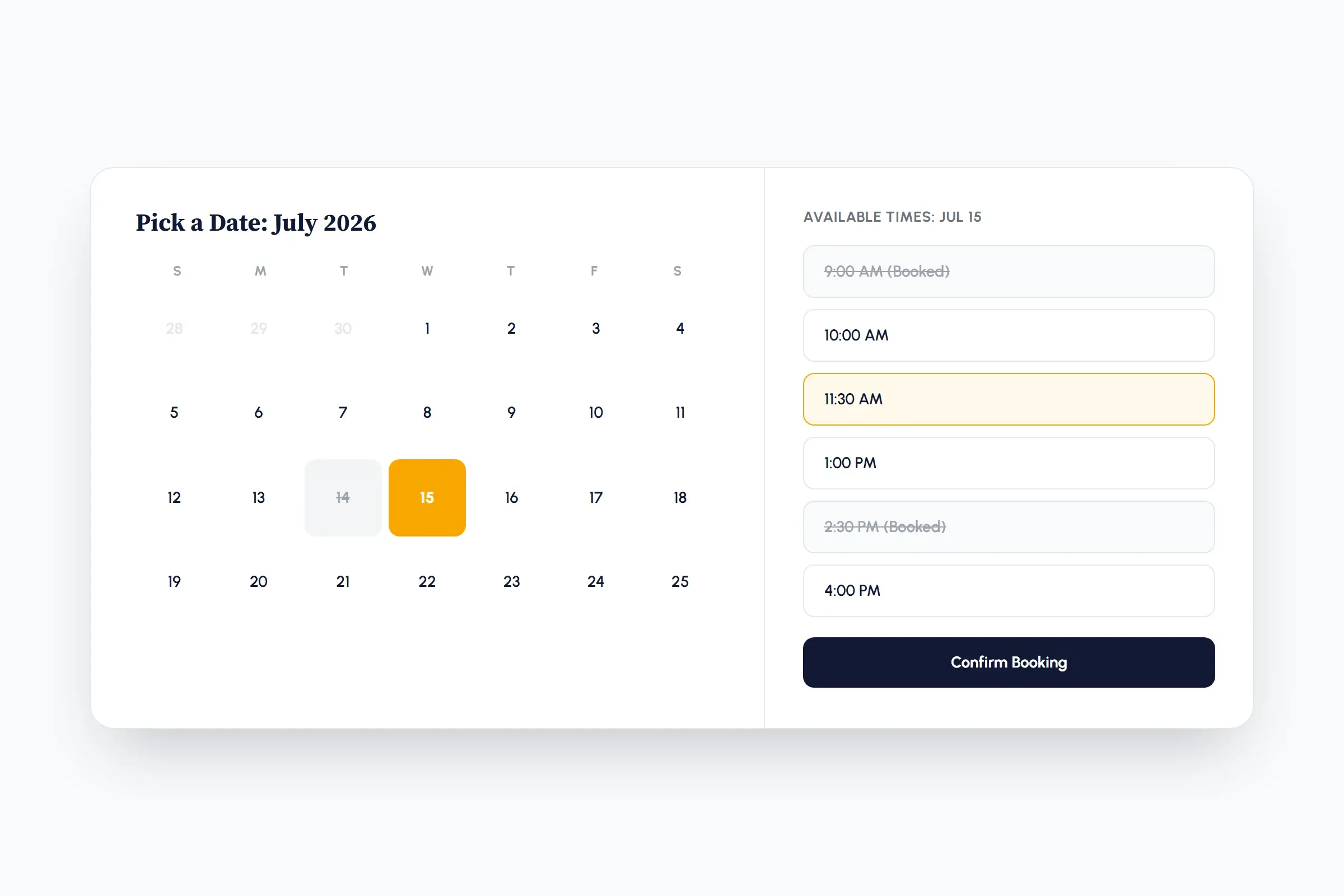 A booking scheduler: a calendar and time-slot picker that has to account for conflicts, not just layout.
12. Recipe App with AI-Generated Suggestions
- What it is: A user enters the ingredients that they have and an AI model suggests a recipe for them
- Why it's a good next step: a callback to the beginner-tier recipe app, now powered by a real AI API call instead of just a data API like the weather project.
- Time estimate: 90-150 minutes
- Copilot tip: sign up for an AI API key first. Be specific about the response format you want (e.g. "return a recipe name, ingredient list, and steps") so you're not stuck parsing unpredictable text for the application.
13. AI-Powered Chatbot Widget
- What it is: an embeddable chat widget wired to an AI API, so users can type a message and get responses
- Why it's a good next step: builds on the API skills from the recipe app, but now you're managing an ongoing conversation (message history) instead of a single request
- Time estimate: 120-150 minutes
- Copilot tip: decide from the start how much conversation history to send with each request. Sending the full history keeps more context of the ongoing conversation, but costs more and gets slower over time, so this is worth specifying early on.
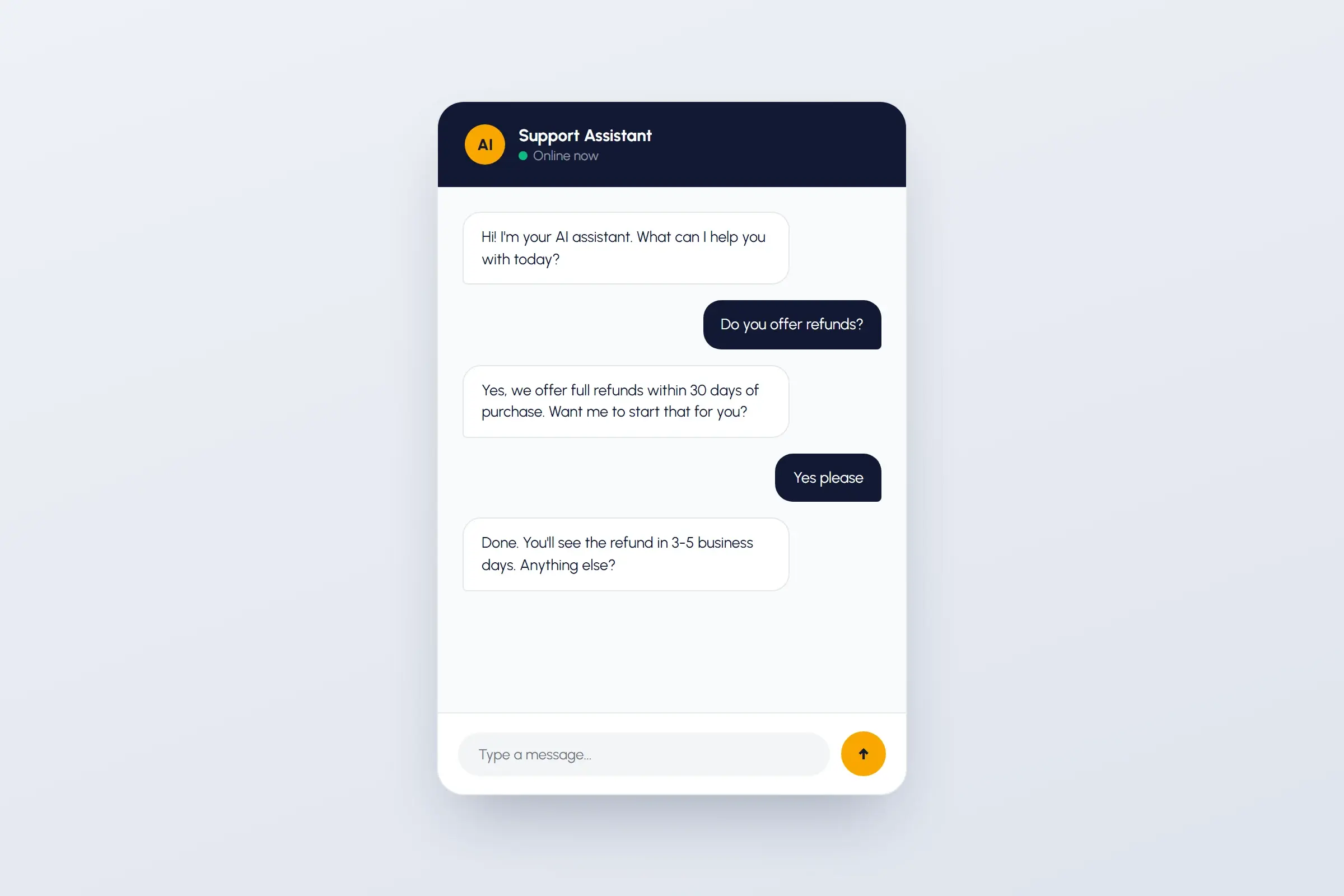 An AI-powered chatbot widget: the point where you're managing an ongoing conversation instead of a single request.
14. Multi-Page Blog/CMS with Categories
- What it is: A small blog with a post list page, individual post pages, and category filtering
- Why it's a good next step: This introduces you to multi-page routing for the first time, every project before this was only a single page, so this is a genuine step up from the other websites on this list.
- Time estimate: 120-150 minutes
- Copilot tip: ask Copilot to set up the routing structure first, before writing blog content or styling. Getting the page structure correct early prevents a messy refactor later on which can consume a large amount of tokens.
15. Multiplayer Word or Trivia Game
- What it is: two or more players compete in real time from separate browsers and devices
- Why it's a good next step: the hardest project on the list. This project adds real-time sync between multiple live sessions, this is a new concept on this list and finishing it is a huge milestone that you can share with others.
- Time estimate: 150-180+ minutes
- Copilot tip: ask Copilot to explain its recommended approach (e.g. a real-time database or WebSocket service) before building. There are several valid approaches to real-time sync, and understanding the tradeoffs for each approach upfront saves a lot of confusion.
How to Pick the Right Project for You
There are quite a lot of projects in this list, and it can be hard to pick the right one. Some projects are very simple, but others are complex and take up a lot of time. The first piece of advice when picking is choosing a project that aligns with your goal. Do you want to build something for fun? Something to promote your business? Or something you can share with others? You also have to be mindful of time and how long each project takes. The time estimates for each project are just estimates, and it is possible that some may take longer than others. If you are just getting started with vibe coding, then something on the beginner tier will really help you create a completed project faster than trying to work on one of the advanced ones first. Another factor is your comfort level: if you are new to vibe coding and haven't done a project before, trying to tackle an advanced one might demotivate you if you get stuck on a certain aspect of the project. Additionally, you will have to pay for some of the projects by using an API key, which can get expensive very quickly if you aren't aware of token management.
| Project | Tier | Time Estimate |
|---|---|---|
| Color Palette Generator | Beginner | 30-45 min |
| Personal Portfolio Site | Beginner | 45-90 min |
| Simple Quiz App | Beginner | 45-60 min |
| Recipe or Notes App | Beginner | 60-90 min |
| Weather Display Page | Beginner | 60-90 min |
| Tic-Tac-Toe or Memory Match Game | Intermediate | 60-90 min |
| Pomodoro/Focus Timer with Saved Sessions | Intermediate | 60-90 min |
| Small Business Landing Page with Contact Form | Intermediate | 90-120 min |
| Personal Budget Tracker | Intermediate | 90-120 min |
| Chrome Extension (Basic) | Intermediate | 90-150 min |
| Booking/Appointment Scheduler | Advanced | 90-120 min |
| Recipe App with AI-Generated Suggestions | Advanced | 90-150 min |
| AI-Powered Chatbot Widget | Advanced | 120-150 min |
| Multi-Page Blog/CMS with Categories | Advanced | 120-150 min |
| Multiplayer Word or Trivia Game | Advanced | 150-180+ min |
Common Mistakes Beginners Make
Giving the model too much context. It's tempting to explain everything upfront, but overloading the model with unnecessary detail can muddy your actual request and lead to results that miss the mark. Keep prompts focused on what you need for that step.
By the way, a lot of these same instincts show up outside of vibe coding too. If this resonates, check out my post on 5 signs you might be using AI wrong. The patterns are pretty similar whether you're coding or not.
Using an overpowered model at high effort for a simple project. Not every project needs the biggest, most capable model running at maximum effort. Most of the projects on this list run perfectly well on a regular model at medium effort. Save the higher-effort models for projects that genuinely need deeper reasoning; running everything at max effort usually just costs more and takes longer for no real benefit on smaller builds.
Not having a plan before you start. Diving in without a clear picture of what you want built means you can burn through a lot of tokens on a structure you end up scrapping. A few sentences describing what you want upfront saves you from an expensive refactor later.
Not checking your work after every change. It's easy to keep prompting change after change without pausing to look at what actually happened. Without reviewing along the way, a small change can quietly break something else or take the project somewhere you didn't intend. Check in after each step so you're steering the project, not just watching it drift.
Skipping GitHub commits. Easy to forget when you're deep in a build, but committing and pushing regularly means you never lose progress, which is especially important on a larger project you can't finish in one sitting.
Ignoring the free-vs-paid tier limits. As mentioned earlier, Copilot's free tier includes limited Agent Mode usage. Hitting a rate limit mid-project because you didn't check ahead of time is one of the more frustrating ways to lose momentum.
Skipping the API key setup. A few of the AI-powered projects on this list (the weather page, the recipe app, the chatbot widget) need an API key before you start. Trying to retrofit this after you've already started prompting just adds extra back-and-forth.
Stop Reading, Start Building
Reading this post isn't the finish line. Building is. You don't have to complete all 15 of these projects, or even finish the first one you try. Just open VS Code, pick something from the beginner tier, and start. That first small win is what actually builds the motivation to keep going, not another article.
And once you get comfortable, there's a lot more room to grow. I automate my own social media using Claude Code (a more advanced tool than what we covered here, but the same underlying idea: describe what you want, let AI build it). If you want to see what that looks like in practice, check out how I automated my social media without sounding like a robot, or read more about the benefits of using Claude Code if you're curious where this can eventually take you.
If you get stuck along the way, reach out: The Biz Spark is happy to help. There's also a genuinely helpful developer community out there on X, Threads, and Reddit if you want more eyes on a problem. And don't forget, AI itself is one of the best tools for explaining what went wrong and helping you problem-solve in the moment, so you don't have to figure everything out alone.
So pick a project, open your editor, and start building.